Dozens of tabs, quietly eating RAM
Every open Chrome tab keeps its page in memory — even the ones you haven't looked at since Tuesday.
Remember opening your Mac for the very first time? Everything snapped open. Nothing lagged. Mac Ninja quietly brings that feeling back — it puts idle Chrome tabs to sleep and calms apps hogging your CPU, without closing a single thing.
7 days free, no card needed · macOS 13+ · Apple Silicon & Intel
It's rarely your Mac. It's what piles up while you work — and it piles up every single day.
Every open Chrome tab keeps its page in memory — even the ones you haven't looked at since Tuesday.
Sync tools, chat apps and updaters grab processor time while you're trying to work in something else.
Clicks lag, windows stutter, and your laptop sounds like it's about to take off.
The dreaded warning that tells you to force-quit the very things you're using.
Mac Ninja fixes the cause — not the symptom.
The first day with a Mac is magic — not because the hardware was different, but because nothing was weighing it down yet. Mac Ninja keeps it that way, in the background, all day long.
No settings to learn. No cleaning rituals. Turn it on once and forget it's there — until you notice everything just feels fast again.
One small app. One big headache gone.
Mac Ninja lives in your menu bar and only steps in when something is slowing you down.
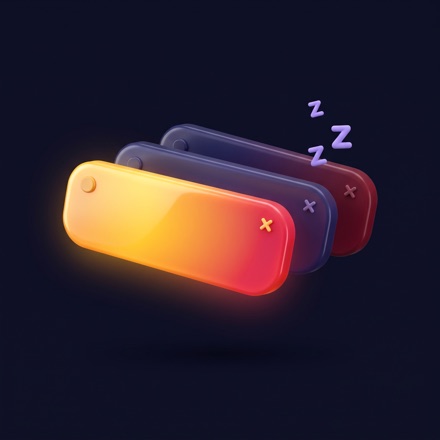
Chrome tabs you haven't touched in 15 minutes give their memory back. They stay right where they are and reload the instant you click. The tab you're on, pinned tabs and anything playing sound are never touched.

When your Mac gets busy, apps working in the background move to macOS's own low-priority lane — the one Time Machine uses. Switch to one and it's full speed again, instantly. Music and calls never stutter.

A little ninja in your menu bar. Click to switch Ninja Mode on or off. Right-click for live memory and CPU stats. It starts with your Mac and stays out of your way.
Measured on our own test Mac — a heavy Chrome user with 479 tabs open across 29 windows.
Chrome memory freed in a single pass — from 26.5 GB down to 15.3 GB.
put to sleep in the first minute. Not one of them closed.
CPU a runaway background app was burning — calmed automatically, without quitting it.
Mac Ninja's own memory use, at about 0.4% CPU. It doesn't become the problem.
64 GB Mac running macOS, Chrome with 479 tabs, November 2026. Your results depend on how you use your Mac — try it free for 7 days.
Less than a lunch out — for every fast, frustration-free day ahead. No subscription, no upsells, no “pro tier”.
Pay once. Every future update included.
Secure checkout by Lemon Squeezy · taxes calculated at checkout
No, never. Idle Chrome tabs are unloaded — they stay in your tab bar with their title and icon, and reload the moment you click them. Apps keep running; busy background apps simply get lower priority until you switch to them.
If your Mac slows down because of many browser tabs or apps working in the background — the most common cause — yes, that's exactly what Mac Ninja targets. It can't make an old processor faster or fix a full disk. That's why there's a 7-day free trial: see the difference on your own Mac before you pay.
No. You pay $14.99 once and use it forever — including all future updates — on up to 3 of your Macs.
Mac Ninja only uses standard macOS and Chrome features: Chrome's own tab unloading, and the low-priority lane macOS already uses for Time Machine and Spotlight. No kernel extensions, no system file changes, no admin password needed for normal use.
Tab sleeping works with Google Chrome — install the free Mac Ninja Helper extension for the full experience. CPU calming and the memory stats work for every app, whatever browser you use.
macOS 13 Ventura or later, on both Apple Silicon (M1, M2, M3, M4 and newer) and Intel Macs.
Apps playing or recording audio are never slowed down, and call and music apps are on a “never slow down” list that you can edit. Any busy background app gets full speed back the moment you switch to it.
No. There's no account, no analytics and no tracking. The only thing that ever leaves your Mac is your license key, sent to our payment provider when you activate it. Read the privacy policy.
Mac Ninja switches itself off and asks for a license. Your apps aren't affected in any way. Buy once and it switches right back on.
Try it free for 7 days. If it doesn't make your Mac feel faster, you don't pay a cent.